
Scanner manufacturers sometimes make big promises with high DPI ratings. Not so fast.
When I started scanning my film to build a digital archive, the first scanner I bought was a Canoscan 9000F MarkII with a stated resolution of 9600 ppi, meaning the scanner can output a file of that rating, but PPI resolution does NOT equal optical resolution. I did more research through the help of ScanDig, and have built a database of common scanners and tested them for true optical resolution (versus the hyped output resolution.)
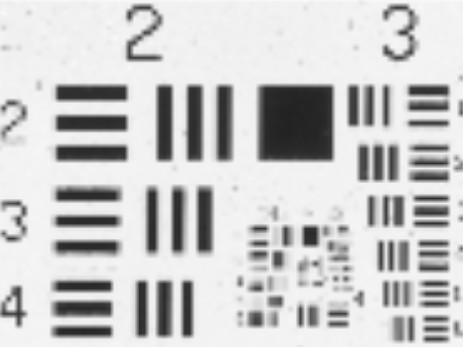
An excerpt on their test of the Canoscan reveals: The resolution test using the USAF-testchart yields an actual average resolution of approximately 1700 ppi according to our resolution chart, the same value as the predecessor CanoScan 9000F. This comes up to about 17% of the rated value of 9600ppi.
What this means is, there is no purpose in scanning at a higher output resolution than the scanner can resolve optically, so in this case, 1700 dpi is the optimal setting, and results in a much smaller file than would be the result from a higher dpi setting. Doing some tests of my own confirmed that setting the scanner to anything higher than 1700 did not result in any improvement.
I was pleased enough with the scans I was getting at that resolution setting, and I was able to markedly improve the acutance and clarity of scans by using a fluid mounting technique before eventually moving on to a Kodak iQSmart2 with true optical resolution of 4300 dpi and near drum-scan quality using the fluid mounting technique
See a complete list of the ScanDig tests here.
- gregory gammon / www.vinylfye.com
 One-Minute Reads about Film Photography
Leave a comment